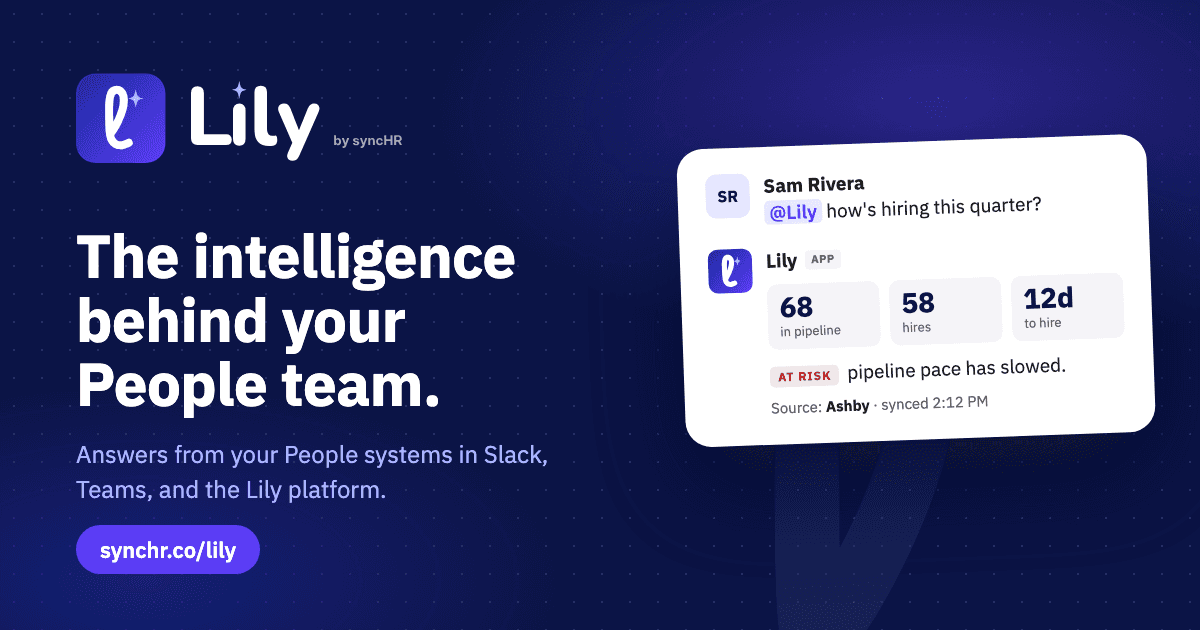
Every week, someone asks your People team how hiring is going. Then someone wants headcount by department, or time to hire for Engineering, before Friday. Each answer means opening the ATS, checking it against the HRIS and pasting numbers into a message that is out of date by Monday.
Lily by syncHR takes that work off your plate. It connects your People systems and delivers cross-functional insights, guidance and reporting where your team already works, starting with Slack.
Transcript
Every week, someone asks your People team how hiring is going. Now they just ask Lily by syncHR, right in Slack. Lily replies in the thread with the number, a short explanation, and the source system. Need more? Lily turns the answer into a full report you can download and share. With the Lily browser extension, the answer sits right next to the work, inside your ATS. Your whole People stack, one question away. Every number shows its source. And it learns how your team works. Lily by syncHR. The intelligence behind your People team.
From syncHR AI to Lily
Until today, this product was called syncHR AI. The product hasn't changed: same data connections, same team, same focus on numbers you can trust. What changed is the name. A tool people talk to every day deserves a name you can say in a sentence, so now you just ask Lily. Links to the old page still work and take you to synchr.co/lily.
Answers, not dashboards
Mention @Lily in Slack and ask the question the way you would ask a colleague: “what’s our hiring health looking like this quarter?” Lily replies in the thread with the number, a short explanation and the source system. Open roles, candidates in the pipeline, hires and time to hire arrive together, with a clear flag when something is at risk and the reason why.
Nobody has to leave the conversation, and nobody has to build a dashboard to answer a one-line question.

Full reports on demand
Need more than a quick answer? Ask, and Lily turns the answer into a full report you can download and share: hires per month, the pipeline by stage and the context behind the numbers, built from the same data as the reply in Slack.

Next to the work, in your browser
The Lily browser extension works inside your ATS, so the answer sits next to the work. Ask about the job you have open and Lily answers beside the pipeline, with the source and a suggested next step.

Built to be trusted
Every number shows its source, so anyone can check it in the system it came from. Lily also learns how your team works: the definitions and settings your team saves in the Lily platform make every answer sharper over time.
Lily uses large language models and can make mistakes, so check important numbers against the source system before you act on them. Showing the source on every answer is what makes that check quick.
Why not a generic chatbot?
Ask a generic AI tool about time to hire and it will tell you to check your ATS, then cross-reference your HRIS. It answers from general knowledge. Lily pulls the data from your systems, shows where it came from and posts the report. A chatbot answers. Lily delivers.
Lily is built by the syncHR team behind more than 250 People Tech engagements, fixing and building the systems People teams rely on. That experience is why it starts from your real data, not from a guess.
Where you can use Lily
- Lily for Slack: ask in any channel or thread and get the answer in place.
- Lily browser extension: answers inside your ATS, next to the job you are working on.
- Lily platform: where your team saves the definitions and settings that shape every answer.
- Lily for Teams: coming soon.
See Lily in action
See how Lily answers a hiring question in Slack on the Lily page, or talk to our team about connecting your People systems.